
Prepare page titles, SEO and accessible content
Write distinct metadata, review headings and images, and check how ordinary and CMS pages appear when shared.
Soidesmax · 4 min read · Updated 2026-10-20
Make the page understandable before chasing rankings
SEO begins with clear, useful pages. It does not guarantee a search position, and adding a long list of keywords does not fix an unclear website. Your goal for North Studio is simpler: every public page should describe its purpose accurately and remain usable for people using different devices or assistive tools.
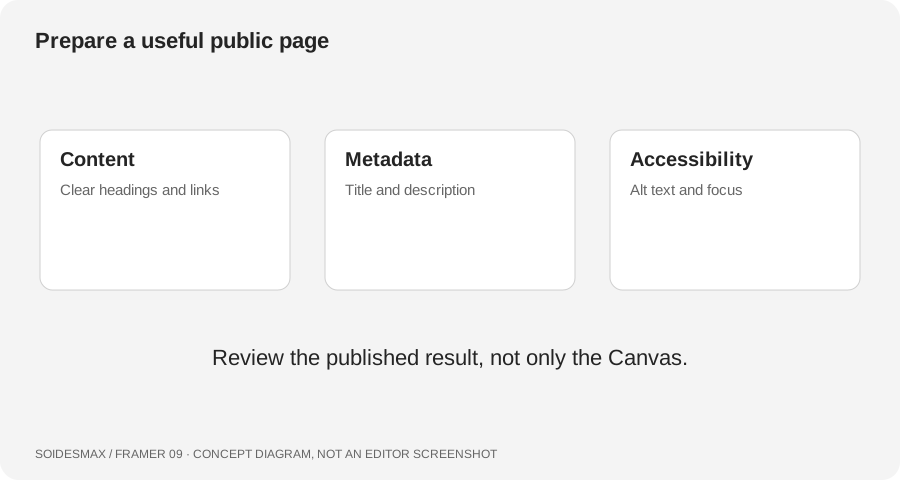
Original pre-launch review diagram.
1. Inventory the pages you intend to publish
List Home, About, Contact, Journal and each intended public article. For every page, write a one-sentence purpose. This makes duplicated metadata easy to spot. Remove placeholder destinations and review any unfinished pages before deciding whether they should be publicly available or indexed.
For the practice Home page, a title might be North Studio — Independent Brand Design. For About, use a title that describes the studio story rather than repeating Home's exact title. These are fictional examples; replace them with accurate information about your own business.
2. Set defaults, then review each important page
Use Site Settings for the website's default title, description and social image. Review page-specific settings for important destinations so they do not all inherit an unsuitable default. Write natural summaries that match the page. Avoid promises or locations your business cannot support.
For CMS pages, use the available collection variables so each item receives its own metadata. Preview two distinct articles. If both share the same title or cover unexpectedly, inspect the CMS field binding rather than editing only the first item.
3. Check the visible structure
Read the page without relying on visual decoration. Give it a clear primary heading and a sensible sequence of section headings. Do not skip headings only to obtain a preferred font size; styles and semantic roles solve different problems.
Use meaningful link labels such as Read our process, not several unrelated links all called Click here. Inspect navigation labels, menu controls and form fields. A keyboard user should be able to see which control is focused and activate important actions.
4. Describe meaningful images
Review alt text for images that communicate information. Explain the useful content without stuffing search terms. Keep decorative choices from overwhelming the experience. Use the image controls appropriate to its source, including CMS image and formatted-text workflows when relevant.
For this exercise, ask a second person what the Home page offers after reading only its headline and introduction. If the answer is unclear, improve the copy before spending time on advanced structured data.
5. Publish and inspect the result
Open the real test URL. Check the browser title and share preview, then inspect representative CMS detail URLs. Social platforms can cache old previews, so a stale image does not always mean the latest page settings failed. Verify the current page before repeatedly changing metadata.
Search indexing can take time. Before launch, confirm that any intentional search-indexing restrictions match your plans. Do not remove restrictions from private material merely to make it appear in a search test.
A compact review checklist
Use unique page titles, accurate descriptions, a purposeful social image, readable headings, meaningful image descriptions, working links, visible focus and a responsive layout. Fix those first. Structured data and advanced integrations can come later when you can verify their output.