About this product
Live Preview: https://helix.soidesmax.store/overview/
Build the interface for your next AI product with Helix, an AI SaaS dashboard template built with Next.js, React, TypeScript and Tailwind CSS. Get 25 layouts, light and dark modes, 6 accent themes and complete frontend source code in one downloadable package.
The operations console for AI products - agents, runs, usage and costs in one animated dashboard. Explore the demo before you buy, then adapt the included typed sample data to your own application.
🎯 Perfect for
- AI SaaS founders who need a dashboard interface for an agent platform or AI workspace.
- Developers building LLM observability tools who want execution history, traces, token usage and cost screens as a frontend starting point.
- Teams designing support copilots who need conversation layouts with AI responses, human takeover and resolution states.
- Agencies and freelancers building custom AI interfaces for client projects.
- Product designers and frontend teams prototyping internal AI consoles, agent workflows or workspace administration.
📦 What you get
Your purchase includes a downloadable Helix v1.0.0 source ZIP with:
- Application source in
app/,components/,data/,lib/andpublic/. package.jsonandpackage-lock.jsonfor installing the project dependencies.- A buyer README with setup, sample-data replacement and customization instructions.
SPEC.md, the templateLICENSEand customer documentation for pages, components, animations and live run demonstrations.- Local image assets used by the demo, reusable interface components and shared design tokens.
This is a code template. You receive source files to run and customize in your development environment.
🧭 Inside the AI SaaS dashboard template - 25 layouts
AI operations
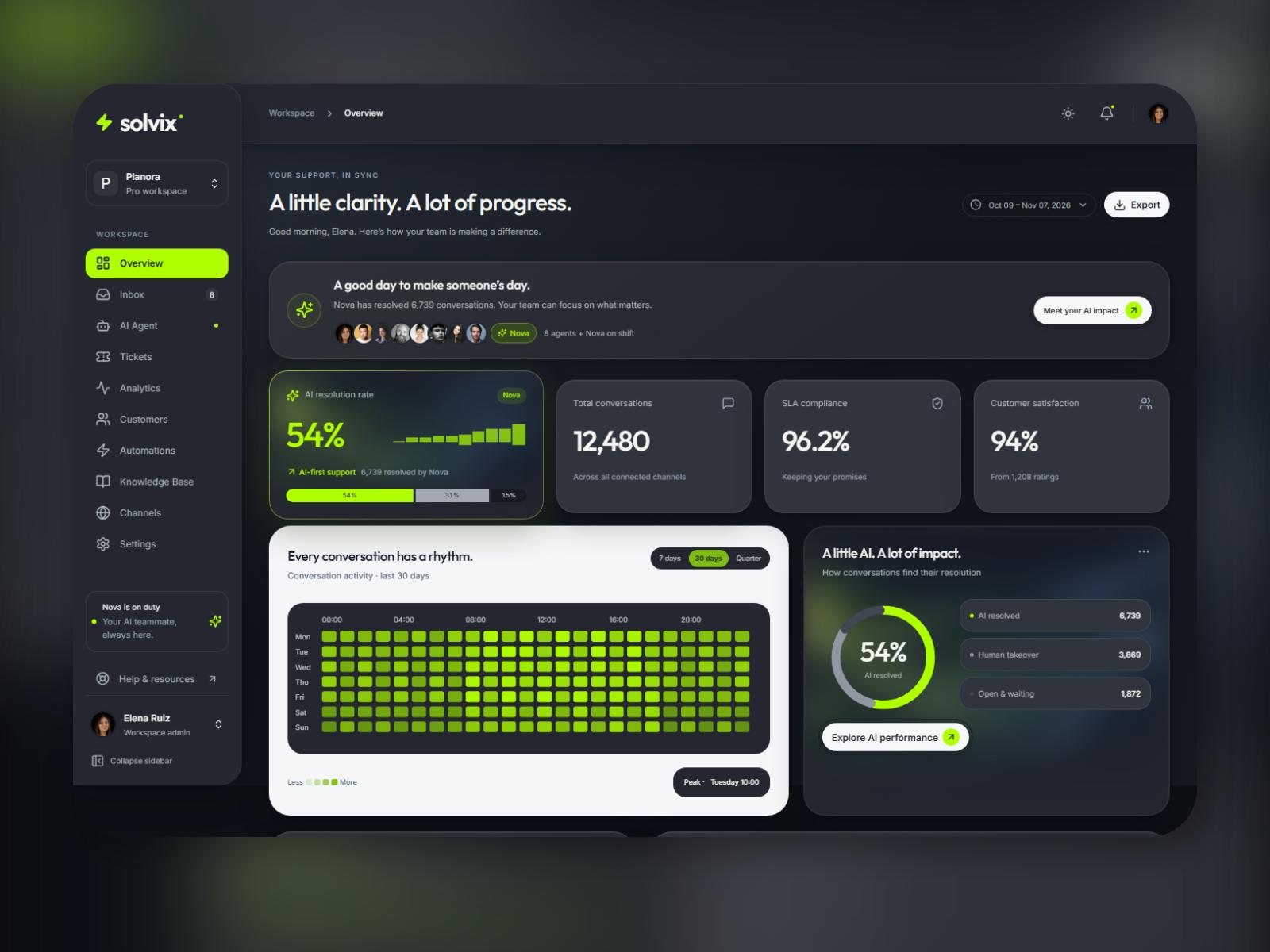
- Overview: KPI cards, Requests/Tokens/Cost chart tabs, model distribution, top agents and recent activity.
- Runs: searchable execution history with status, agent, model and date filters; pagination, quick views and sample auto-refresh playback.
- Run detail: step-by-step execution traces, status and timing information, token and cost summaries, plus Input/Output JSON.
- Conversations: support inbox with conversation search, agent/status filters, AI and human handoff states, and resolve/reopen interactions.
- Usage: token, request and cost analytics; 7/30/90-day views; model and API-key breakdowns; monthly budgets, forecasts and CSV export.
Agent workflows
- Agents: card and list views with model, status, run counts, success rates, costs and last-run information.
- Agent detail: agent overview, related runs and configuration summaries.
- Agent Builder: configuration controls for model, prompt and tools, with a simulated test playground.
- New agent: creation templates and a quick-start form for a new agent idea.
Knowledge and evaluation
- Knowledge: File, Website, Text and API source interfaces, simulated indexing progress and document previews.
- Evaluations: benchmark suite previews, sample results and criterion scores.
- Evaluation comparison: sample per-version results displayed side by side.
Workspace and administration
- API keys: demo key creation and management dialogs.
- Integrations: connect and configure interface states.
- Six settings layouts: General, Team, Billing, Notifications, Security and Audit log.
- Three entry layouts: Sign in, Create workspace and Onboarding.
- Two shared overlays: Command menu and Notifications panel.
The total is 25 layouts, including the two shared overlays. The package also includes a reusable component library.
🎨 Appearance and customization
Switch between light and dark modes and choose from 6 accents: Ember, Azure, Iris, Lime, Rose and Lagoon. Shared design tokens provide a central place to adapt the dashboard's appearance to your brand.
The responsive interface includes a sidebar that becomes a drawer on smaller screens. Tables, filters, tabs, dropdowns, dialogs, tooltips, badges, forms, toasts, skeletons, empty states and charts give you reusable pieces for extending your product.
Typed sample data lives in one data/ folder. Replace the fixtures and connect your own API as you develop your application. Agent settings, knowledge sources and other demo interactions provide frontend examples to adapt.
🛠 Tech stack and exact versions
Versions resolved in the Helix v1.0.0 package-lock.json:
- Next.js 16.4.4 - App Router; configured for static HTML export.
- React 19.3.1 + React DOM 19.3.1 - frontend UI.
- TypeScript 5.9.3 - strict typing.
- Tailwind CSS 4.3.4 + @tailwindcss/postcss 4.3.4 - styling.
- Radix UI: Dialog 1.3.1, Dropdown Menu 2.2.1, Switch 1.4.1 and Tooltip 1.4.1.
- Recharts 3.10.1 - charts and visualizations.
- Motion 14.9.1 - interface animation.
- cmdk 1.1.1 - command search.
- Phosphor Icons React 2.1.10 - icons.
- @fontsource/inter 5.3.0 - Inter font package.
Runtime requirement: Node.js 20.9.0 or newer, with npm. Keep the included lockfile to retain these resolved versions. The package.json version ranges may resolve newer compatible packages if you replace or regenerate the lockfile.
🚀 Getting started
- Download and extract the ZIP after purchase.
- Install Node.js 20.9.0 or newer.
- Open a terminal in the folder containing
package.json. - Run
npm install, thennpm run devto start local development. - Run
npm run buildwhen you are ready to create a production build. - Follow the README to replace sample data and customize the theme and accent.
Frontend development knowledge is needed to customize the source and connect live services.
ℹ️ What is included in the demo - and what you build
Frontend UI · Demo data. No backend, database or authentication service is included.
Run playback, agent responses, test conversations, knowledge indexing, evaluations, integration connections and billing actions are frontend demonstrations. Sign-in, security, API-key and payment screens are interface examples; they do not provide live authentication, secret management or payment processing.
You supply your backend, API integrations, AI provider credentials, database and hosting for your end product. The displayed usage and costs are sample data, not activity from a connected AI account.
❓ Frequently asked questions
Is this AI SaaS dashboard template a working AI backend?
No. Helix supplies the frontend interface and demo data. You connect your own backend, authentication, database and AI services.
Do I need a Framer account or a separate Figma file?
No. This package is a Next.js and React source-code template. A Framer remix link and a Figma design file are not part of this download.
Can I customize the template for a client?
Yes. The included license allows client end products. Standalone template resale or redistribution is prohibited; see the full license included in the ZIP.
Where do I change the sample data and colors?
Start with the typed fixtures in data/ and follow the README for theme, accent and design-token changes. For framework guidance, see the official Next.js documentation.
📄 License at a glance
The included license permits personal and commercial end products, including client projects. You may modify the template for those projects. You may not resell or redistribute Helix, or a modified version, as a standalone template, UI kit, starter, theme or competing source-code product. Third-party assets and dependencies retain their own license terms. Read the included LICENSE for the full terms.
💵 Price and preview
Regular price: $109 · Sale price: $69 · Save $40
Try the live preview to inspect the interface and demo interactions before buying. Browse more products at Soidesmax.
Start your AI SaaS dashboard template project with the screens in place, then connect the services that power your product.
🏷 Tags
AI dashboard, SaaS dashboard, admin template, Next.js, React, TypeScript, Tailwind CSS, AI agents, LLM observability, agent builder, usage analytics, frontend template, dark mode, dashboard UI
Included screens / pages
- Overview
- Runs
- Run detail
- Conversations
- Usage
- Agents
- Agent detail
- Agent Builder
- New agent
- Knowledge
- Evaluations
- Evaluation comparison
- API keys
- Integrations
- Settings - General
- Settings - Team
- Settings - Billing
- Settings - Notifications
- Settings - Security
- Settings - Audit log
- Sign in
- Create workspace
- Onboarding
- Command menu overlay
- Notifications panel overlay
UI interactions
- Search, filters, sorting and pagination on sample data
- Run playback and step-by-step traces
- Conversation AI/human handoff and resolution states
- Agent configuration and simulated test playground
- Command search, notifications, dialogs and toasts
- Light/dark mode and six accent themes
What you get
- app/ - Next.js routes
- components/ - reusable dashboard UI
- data/ - typed sample data
- lib/ - shared helpers
- public/ - demo assets
- package.json + package-lock.json
- README.md + SPEC.md + LICENSE
- docs/ - pages, components, animations and live run demos
Integrations
All included agent responses, run playback, knowledge indexing, evaluation execution, integration connections and billing actions are frontend demonstrations. Connect your own backend, authentication, database and AI services. Do not put private credentials into public product fields.
Changelog
Release notes · Current version 1.0.0
v1.0.0 - Nov 7, 2026 (Initial release)
- Initial release with 25 layouts for AI operations, agent workflows and workspace administration.
- Light and dark modes with 6 accent themes.
- Typed sample data, reusable components and customer documentation.
FAQ
Is Helix a working AI backend?
No. Helix includes frontend UI and typed demo data. You connect your own live services.
Is this a Framer or Figma product?
No. This download contains Next.js and React source code. No Framer remix link or Figma file is included.
Can I use it for client projects?
The included license permits personal and commercial end products, including client projects. Standalone template resale or redistribution is prohibited. See LICENSE for full terms.
Where do I replace sample data?
Use the data/ folder and follow the included README for setup and customization.
Version 1.0.0 · Updated